Clay
Designing a central hub that unified disparate tools for Google office renovation projects.
Impact & measurement
Unified navigation model.
Projects and Studies structure replaced fragmented app boundaries, enabling users to move seamlessly across programming, design, and financial planning.
Faster study discovery.
Search and metadata cues help users find the right study or project without manual browsing.
Validated through user research and internal workshops with Project Executives, Analysts, and design partners.
Role
Product Designer
Client
Google REWS
Employer
Outer Labs
Focus areas
Design, Discovery, Strategy
Team scope
First designer on Clay; collaborated with product, engineering, and designers from previously disconnected applications.
Background
Clay is a tool developed for Google allowing Project Executives to more easily plan and develop office renovation projects in-house, and then seamlessly hand-off to their external design teams. As a sort in between spreadsheets and the drawing board of CAD or Revit, there are multiple stages a project can move through, and multiple types of studies a user can create for a project. Clay home is where a user can find metadata about these studies and access their desired work. Clay is an amalgamation of a series of previously disparate applications that are all accomplishing similar work in parallel. Clay is intended to help a variety of users (Project Executives, Project Analysts, architects, interior designers, etc) streamline their collaborative process together.
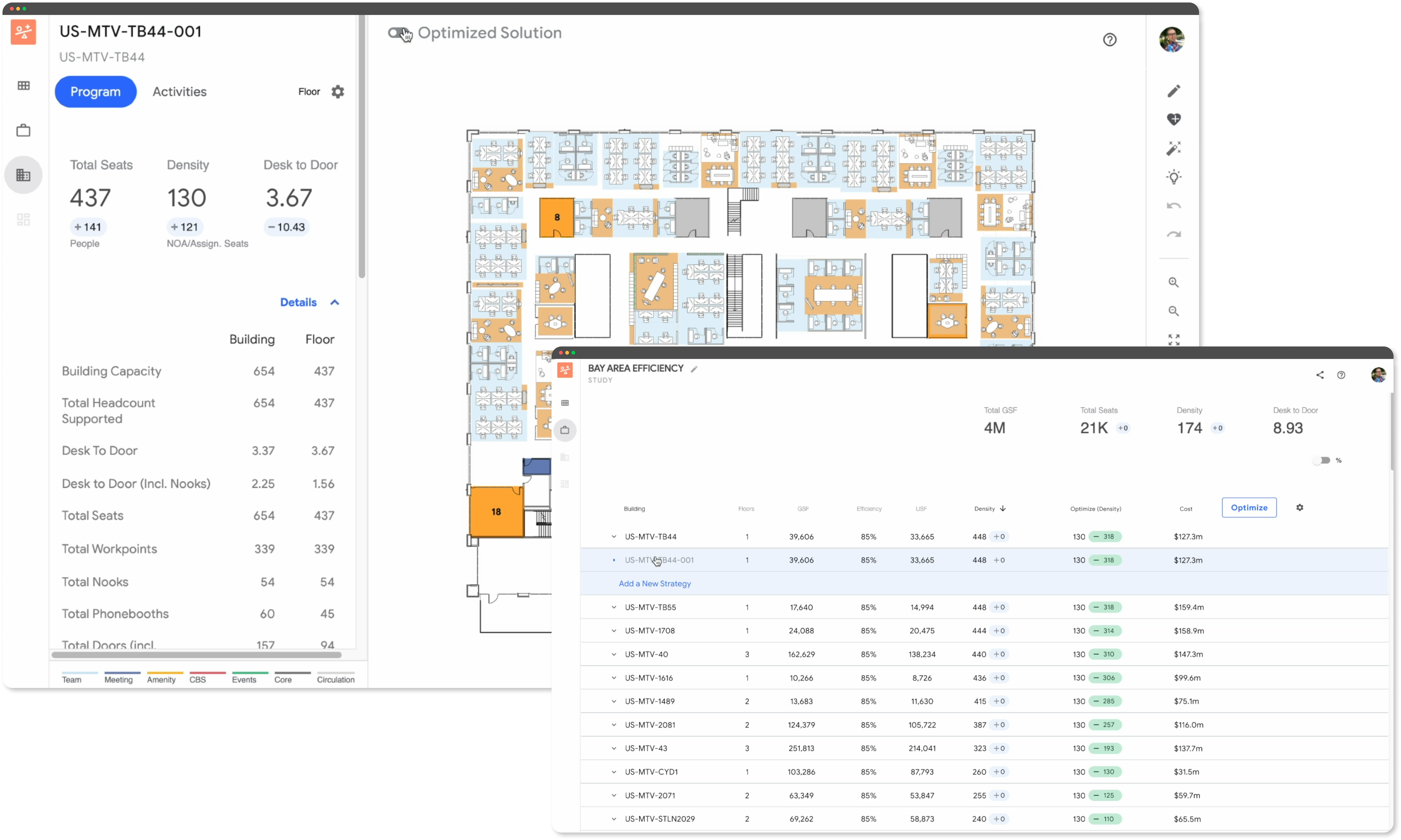
Multiple apps that are being combined into Clay
Initial discovery
The first step for the team was to understand the underlying structure and connections between different studies, and establish boundaries between them. Some of the app structure is based off of pre-existing work, and some new, so there was a lot of discovery involved in how a user should move through the different Clay experiences. I worked very closely with product and engineering in this exploration process.
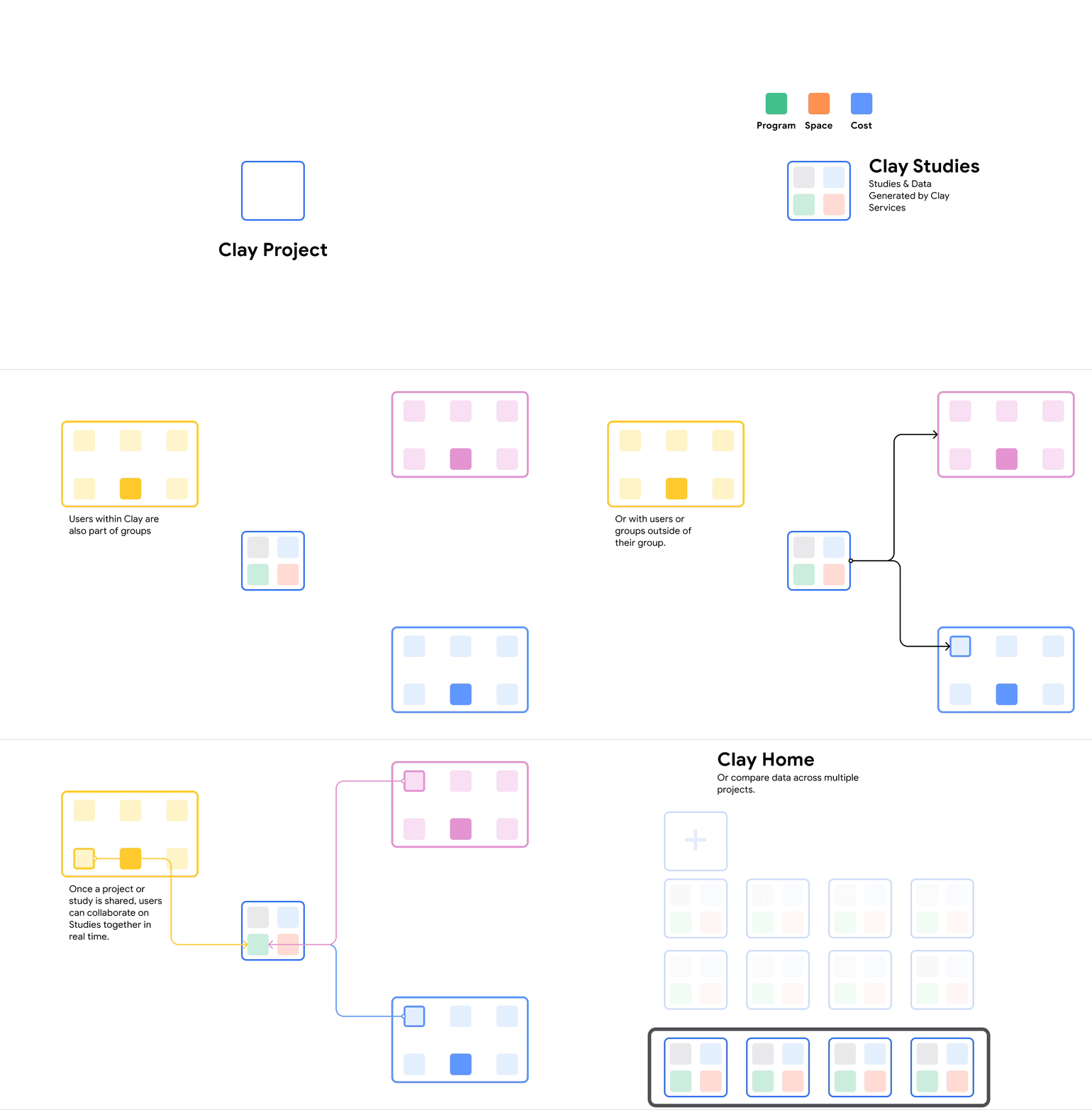
Boundaries between services, tools, and users
Approach
The primary goals for this design was to provide an intuitive platform where new users could easily understand how and what they could access, and existing users could quickly find where they left off. As we got further into understanding the boundaries between different states within Clay, it became clear that Google Drive would be a very helpful precedent. Like Drive, Clay has a variety of types of work a user can accomplish. Unlike Drive, the different "files" are interlinked and interdependent.
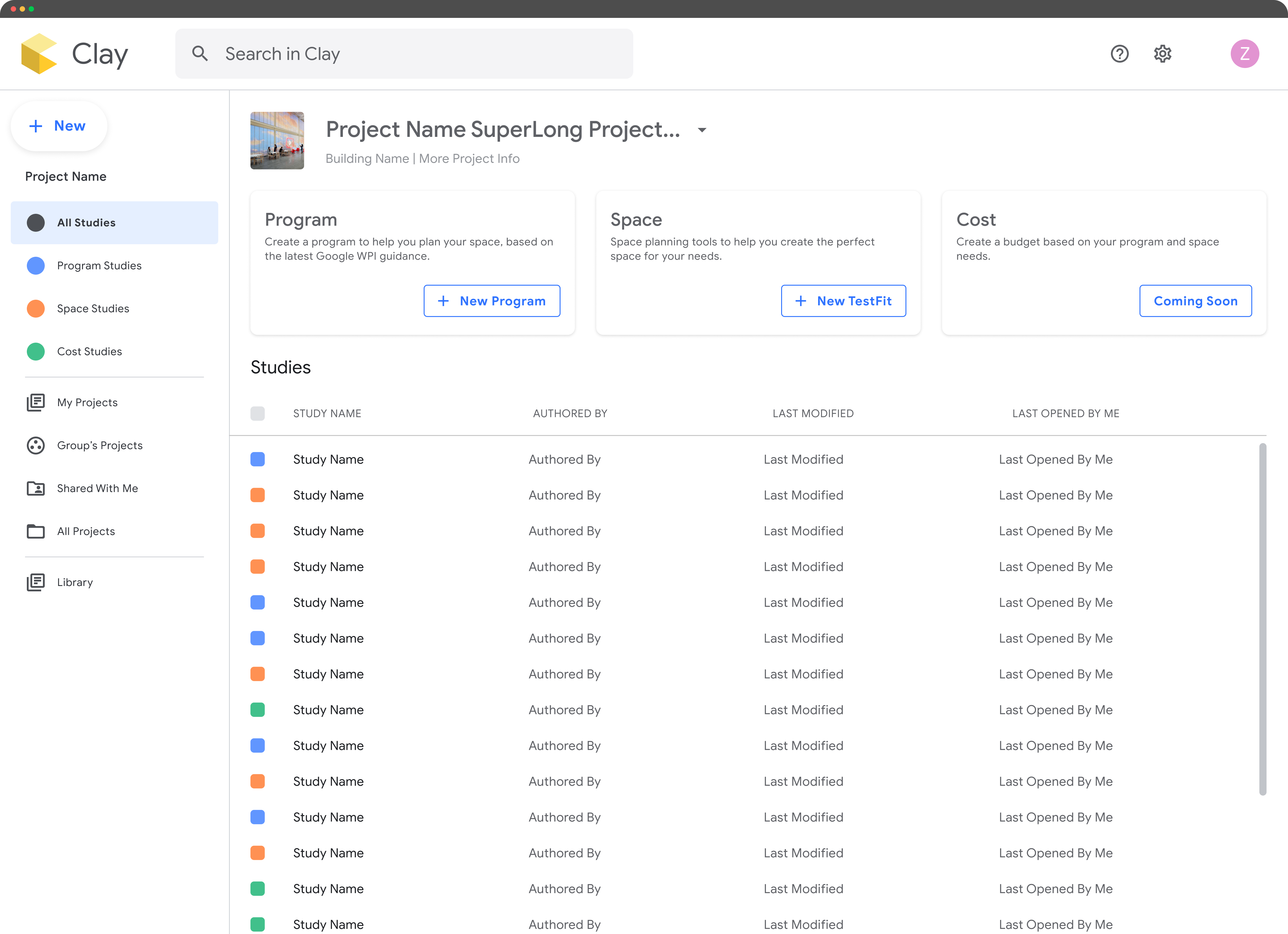
Project page with all of its studies shown.
App structure
As the first designer specifically on Clay, I worked to bring together the work that other designers were working on previously disconnected applications. We developed a language of Projects and Studies to organize the work, and establish boundaries between different aspects of the programming, designing, and financial planning.
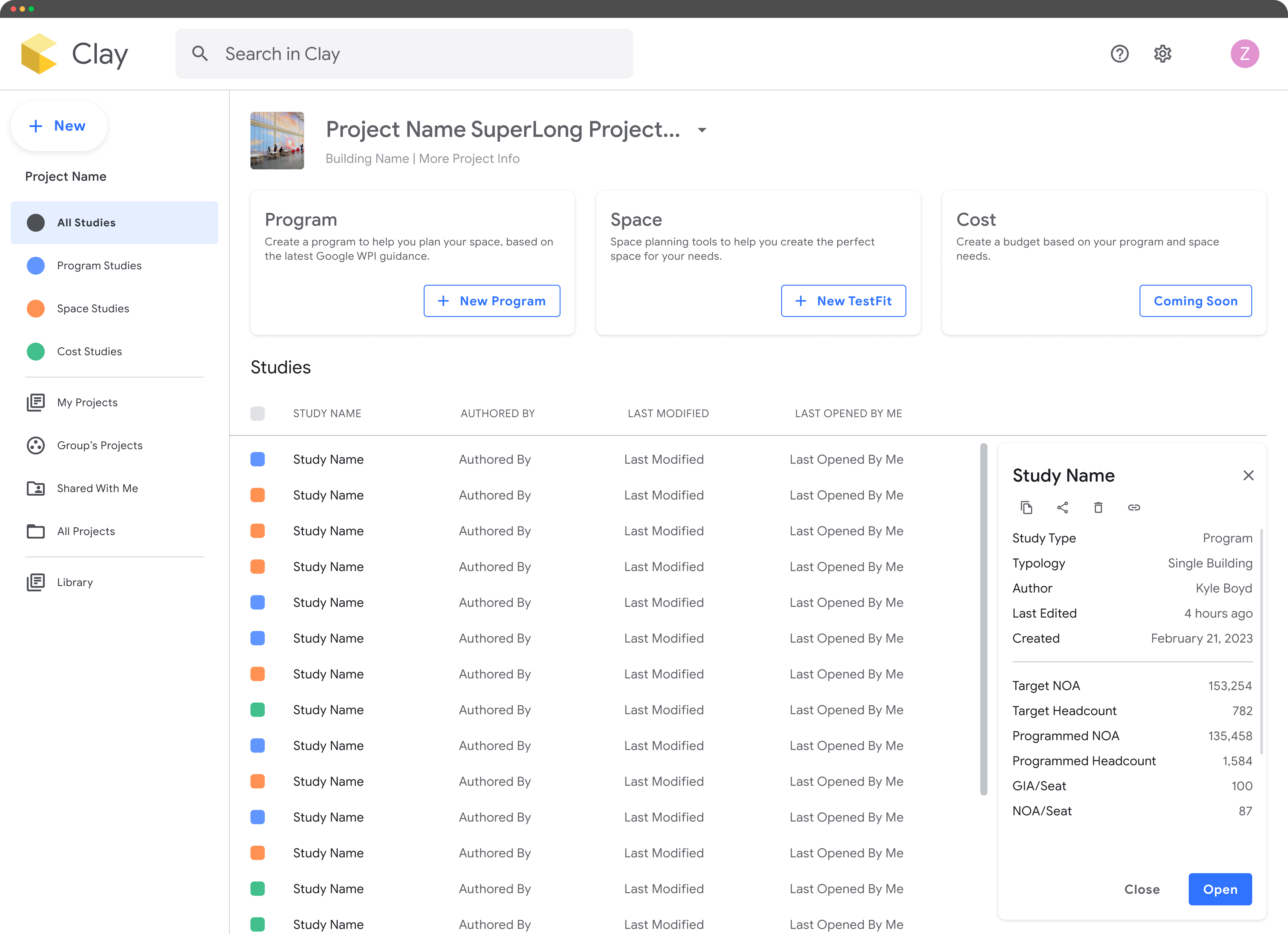
Study details side panel with metadata
Search
In addition to simple navigation, the search feature is a valuable tool that allows a user to quickly find what they want to work with by searching based on a variety of parameters. Including some visual cues about metadata for search results also allows a user to more quickly key in on their desired study or project.
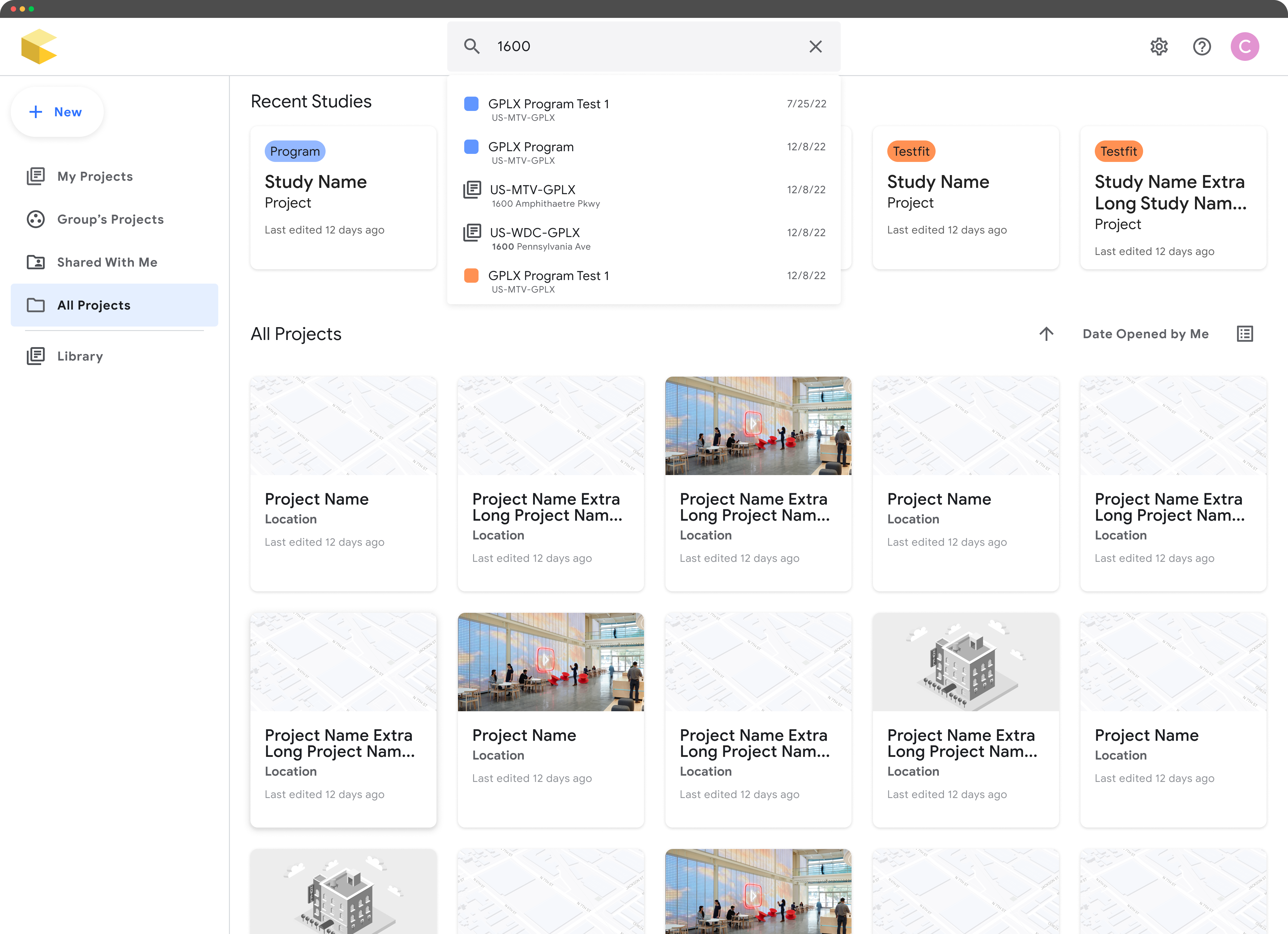
Searching for resources (study, user, project)
Versioning
Allowing users to see work progress and go back in time if needed gives users confidence to make changes and test different ideas. Again, I heavily referred to Google Drive (especially Docs) as a driving model. Users can flip back through to quickly see changes, and have an indication of where changes were made.
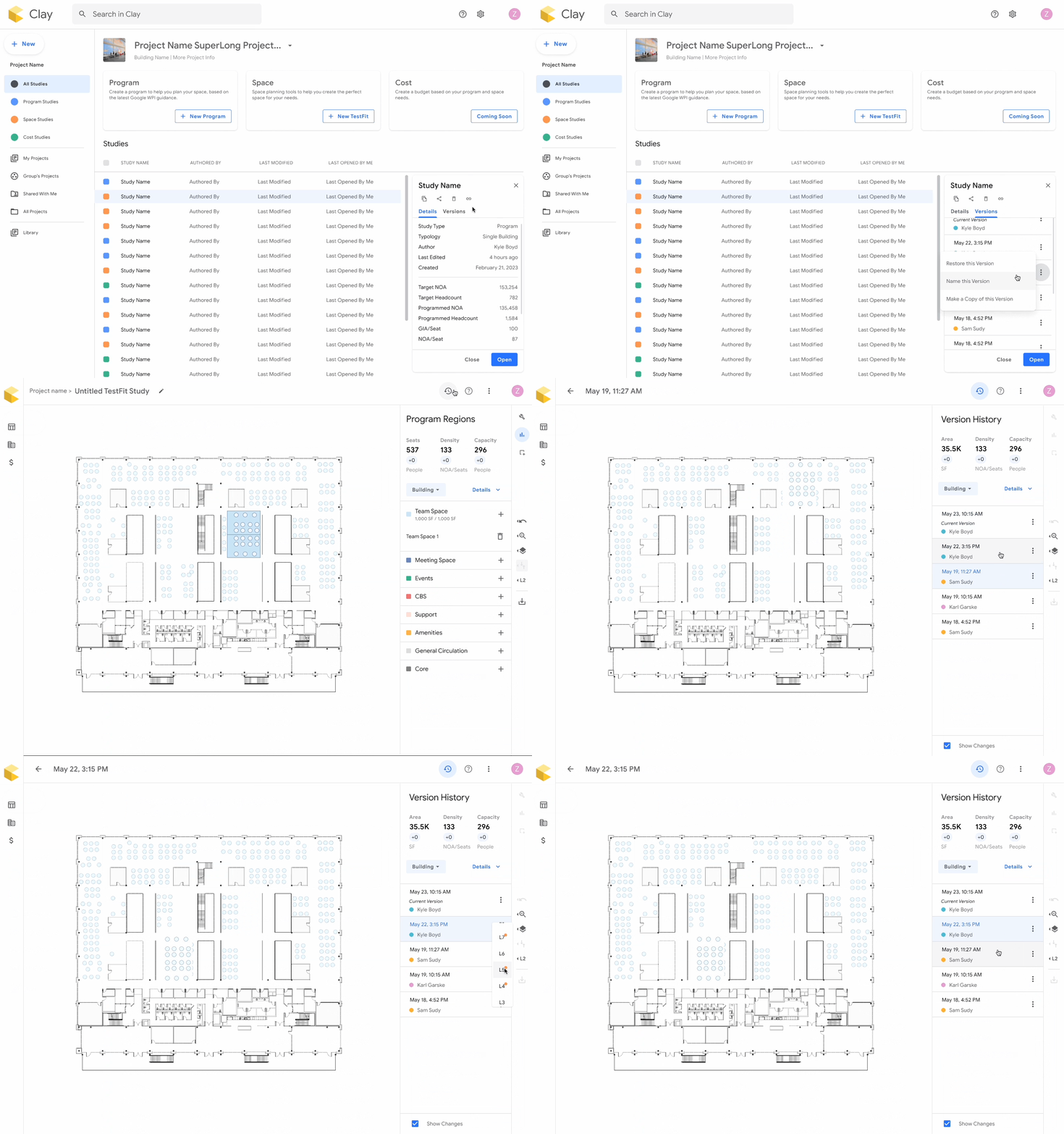
Versioning flow both in the home screen and in the tool