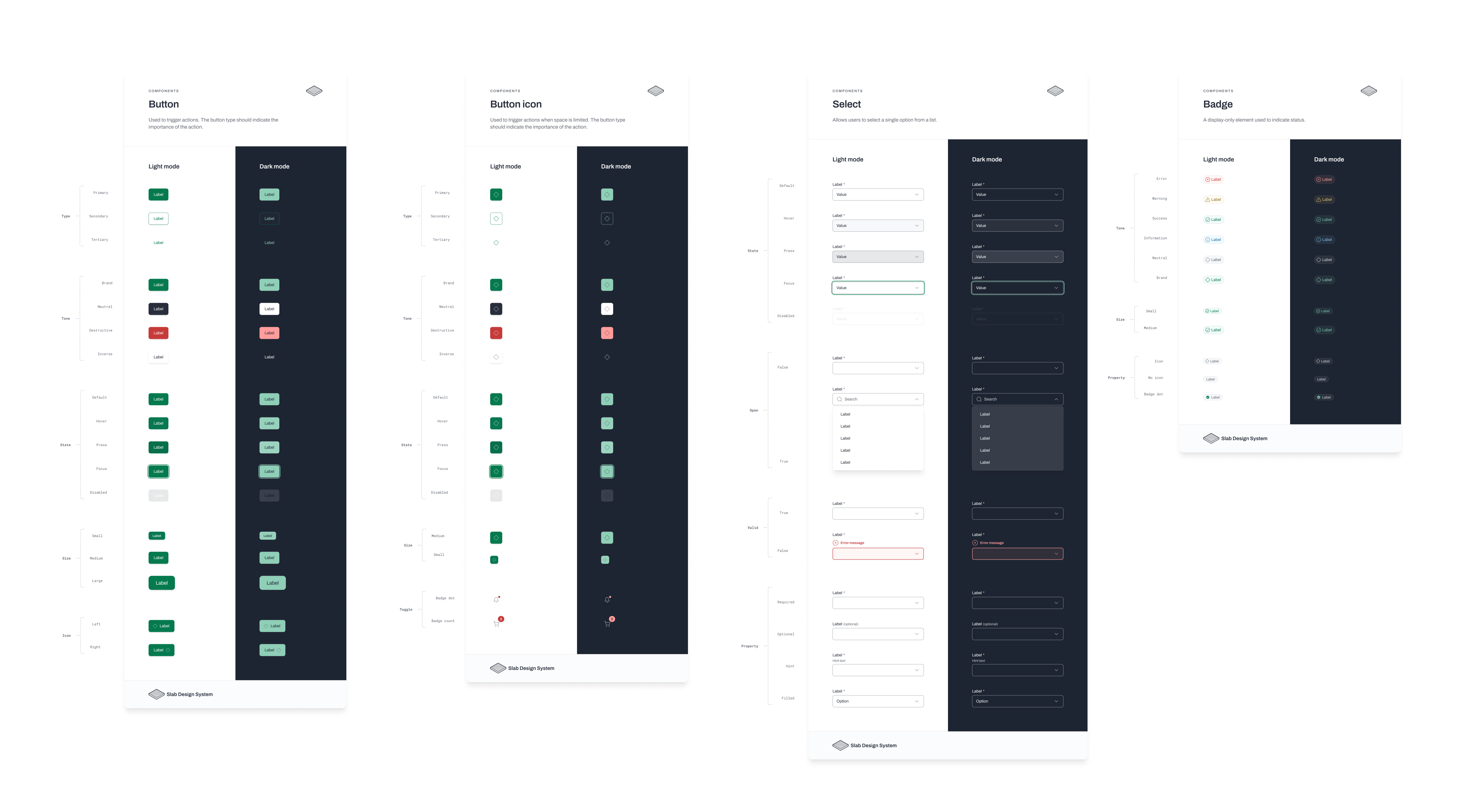
Slab Design System
Building and scaling a design system that increased consistency and efficiency at Acelab.
Impact & measurement
Streamlined handoff.
Design tokens and shared components reduced design–engineering back-and-forth and sped up implementation.
Consistent UI scaling.
Atomic components and a clear hierarchy enabled the application to grow without visual drift.
Tracked via component adoption across screens and qualitative feedback from design and engineering teams during rollout.
Role
Product Designer
Employer
Acelab
Focus areas
Design System, Component Building
Team scope
Owned design system vision; partnered with engineering to align Figma tokens with Vue, Tailwind, and CSS. Incremental rollout across product teams.
Building a robust design system at Acelab
When I started at Acelab, the existing design system was minimal—essentially branding guidelines with basic button styles. As the application grew more complex, inconsistencies emerged, even within the limited design system in place. Recognizing the need for a more comprehensive approach, I advocated for the development of a robust design system to address these challenges and promote greater adherence to design standards.
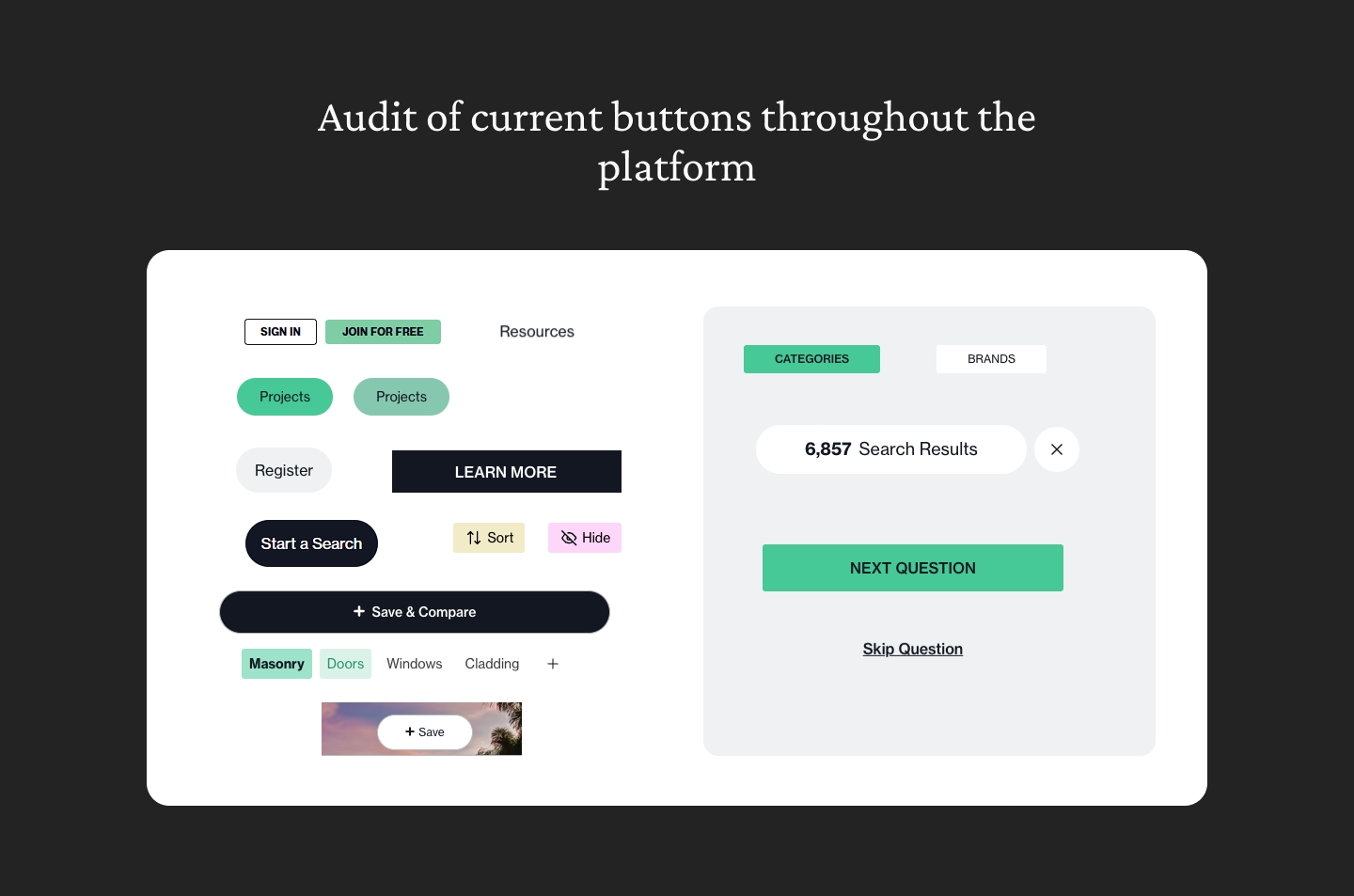
The variety of action buttons currently on the platform
Evaluating options for the design system
To determine the best path forward, I considered a variety of prebuilt design systems as well as the possibility of developing our own from scratch. My criteria included: Simplicity, Figma Compatibility, and Scalability. After extensive research, I identified that many of the well-known design systems were either too complex for our needs or lacked adaptable Figma files. I ultimately chose to build upon the design system provided by Practical UI.
Educating and collaborating with engineering
To ensure successful implementation, I started by educating our engineering team about the benefits of a robust design system. Design Tokens: Given our tech stack—Vue, Tailwind, and CSS—I exported Figma variables to JSON and demonstrated their practical use cases. We began rolling out components incrementally, transitioning to the new design system while addressing gaps and ensuring alignment between design and engineering.
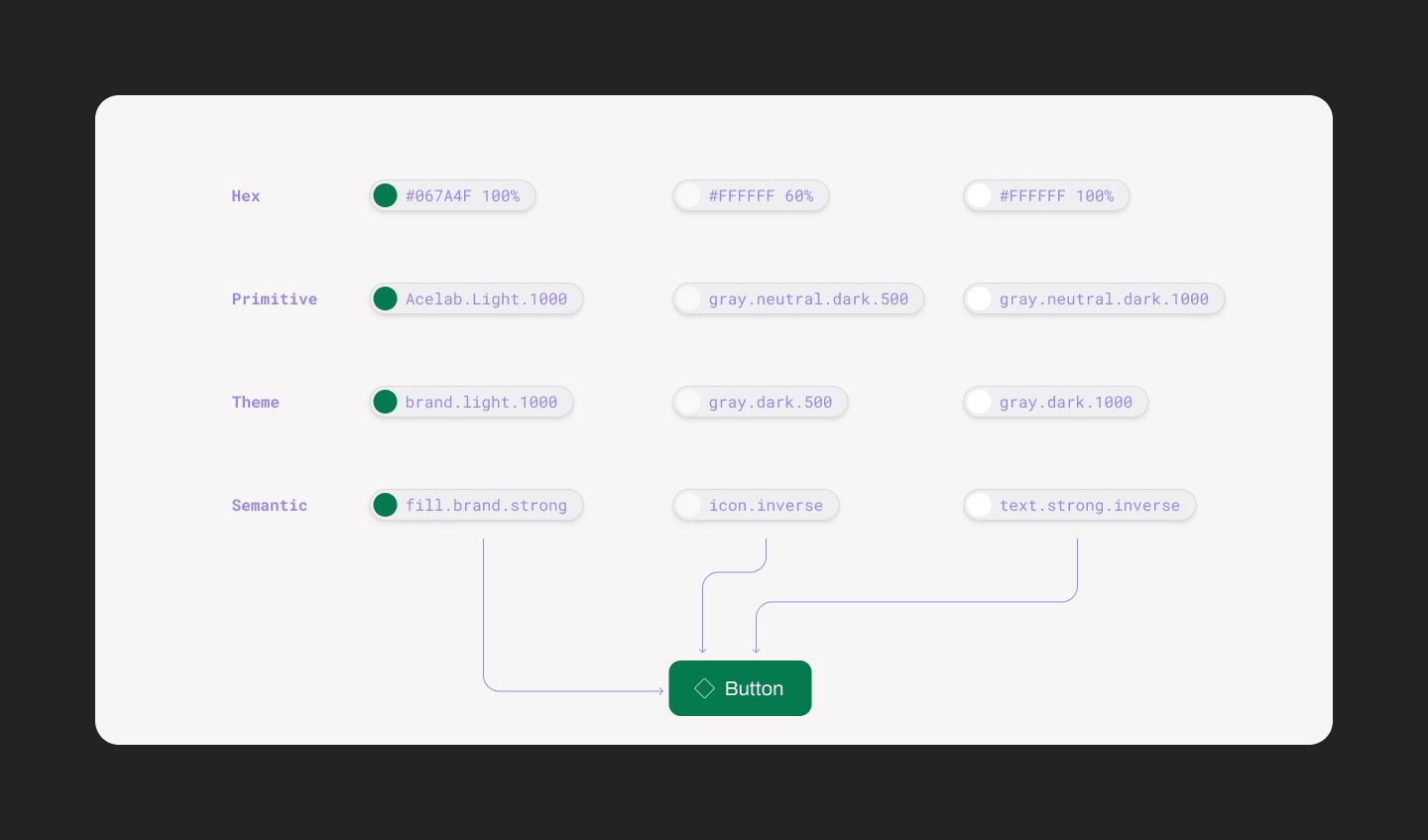
Design token architecture
Customizing and creating new components
Aside from implementing our basic fonts and colors, I also embarked on creating some components that were unique to our platform. For example, making some enhancements to the Side Navigation and adding some additional functionality like dropdowns and selectors.
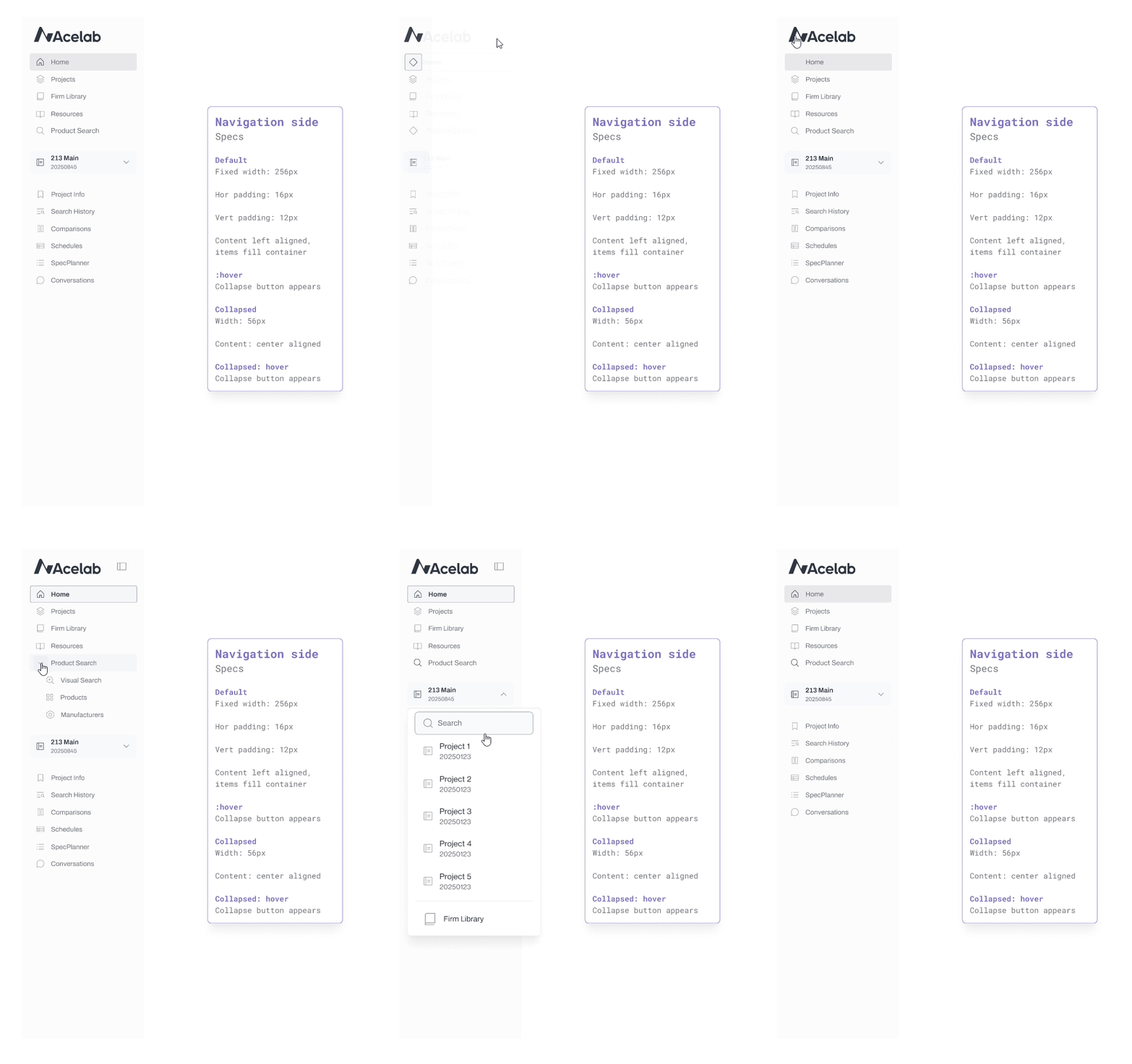
Side navigation component in action
Early results and progress
While the full implementation of the design system is ongoing, we have already seen significant improvements: Consistency—components across the application are becoming more uniform. Efficiency—communication between design and engineering has become more streamlined. Scalability—the system is equipped to handle our growing application needs with minimal additional effort.
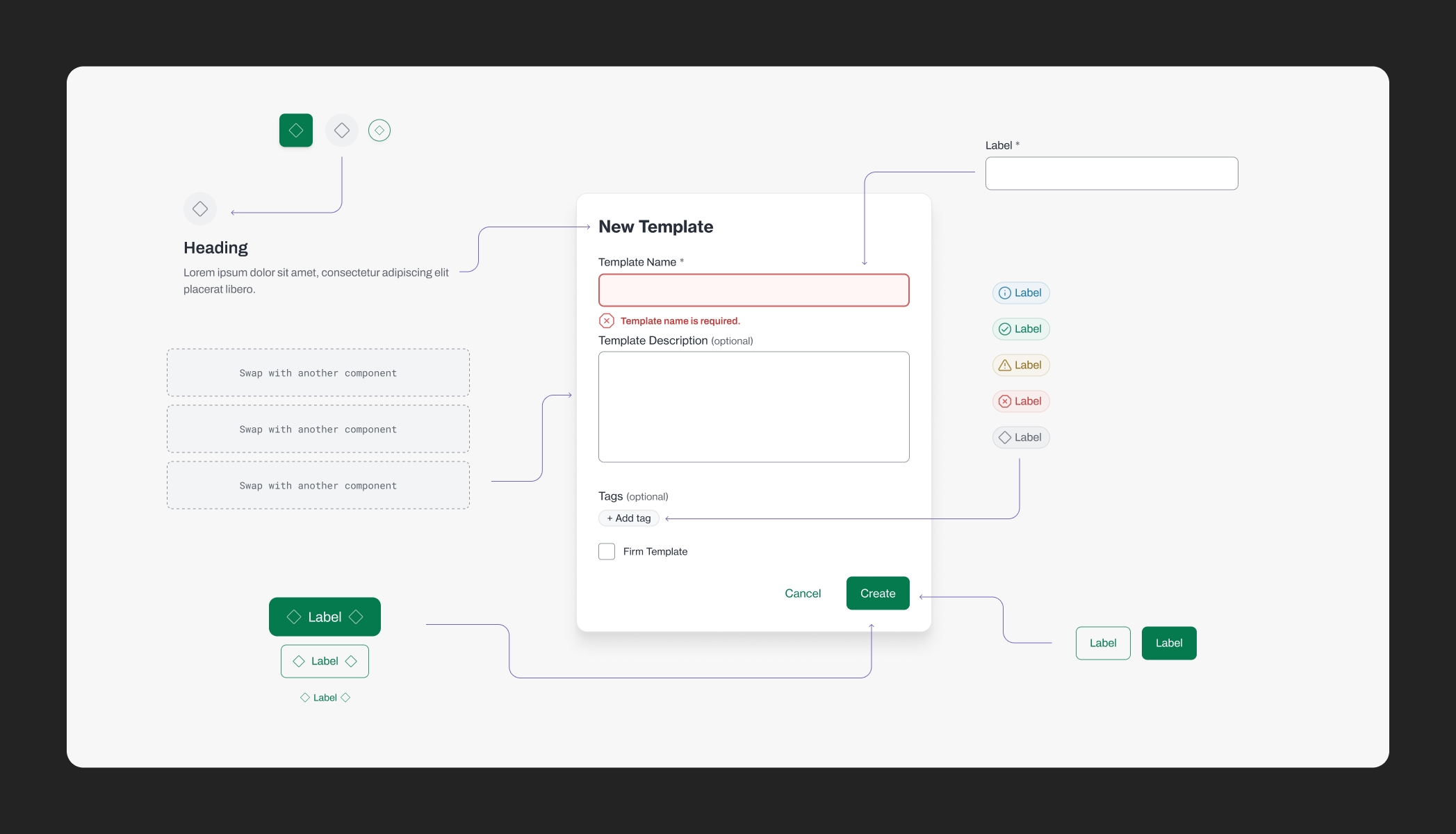
Atomic components combined into a Modal
Reflection
The process of establishing a robust design system has been transformative for Acelab. By aligning design and engineering through a shared framework, we are not only improving the quality of our product but also fostering a more collaborative and efficient workflow. This initiative underscores my commitment to creating scalable, user-centered design solutions that drive organizational success.